Tuesday, May 21, 2013
Two Important Upgrades of Apple’s MacBook
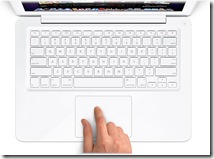 Apple has just updated it famous MacBook. This update brings some new differences between the 2010 MacBook and the 2009’s model. Although these updates doesn’t totally changed the MacBook lines, but still it keeps Apple’s MacBook as the top rated laptops.
 Here are two important upgrades of Apple’s 2010’s MacBook
- Integrated Geforce NVidia 320M
processor with 48 processing cores. The 2009’s MacBook model used Geforce 9400M. It significantly increases its power to do heavier graphical tasks. And in return, it helps users to create contents in a more efficient way.
- 2010’s MacBook now supports video and audio completed with a compatible Mini-DP to HDMI adapter. 2009’s model only supported video.
What else do 2010’s MacBook brings compared to 2009’s MacBook?
The new MacBook is now powered with 2.26 GHz Core 2 Duo processor. Last year’s model has the 2.4 GHz processor. It keeps the Polycarbonate unibody, 1280 x 800 resolution Glossy LED backlit screen, and iSight camera. By default, this newest MacBook model has 2 GB RAM (1 GB RAM sticks x 2), 250 GB hard drive, 8x slot-loading SuperDrive DVD burner, large multi-touch track pad which is now also embedded with Intertial scrolling ability, 2 USB 2.0 ports, Wi-Fi - 802.11n specification; 802.11a/b/g compatible, Bluetooth 2.1 and Gigabit Ethernet -10/100/1000.
Apple stated that the new built in battery could last for about 9 to 10 hours. Well, it really depends on what you are doing with MacBook. To have 3 to 6 hours battery life on this MacBook is a great thing.
So, what else do you need the most?
Your brand new Apple’s Macbook is good for basic computing activities – like browsing the web, typing articles or watching movies. However, if youre planning to buy a Macbook for multimedia work, such as editing high resolution photos or HD videos and plan to use many multiple applications at the same time, please be sure to upgrade the memory from 2 GB to 4 GB. Why?
Because using a MacBook with 2 BG of RAM to multitask is a great way to drive yourself crazy, as the MacBook will ‘struggle’ to keep up the works. Try editing 10 megapixel RAW images while playing music in iTunes with Safari open. 2 GB of RAM is not at all adequate for multitasking / using processor intensive applications on a Macbook.
Now, it is up to you, but there is a choice for you to make your MacBook runs just like what you expect. Upgrading the RAM yourself from 2 GB to 4 GB is a great idea. But remember that the price of DDR3 1066 mhz RAM (compatible with Macbook and MacBook Pro) is still high. Currently, the Crucial CT2KIT25664BC1067 4GB 204-PIN PC3-8500 SODIMM DDR3
With this 4GB RAM’s upgrade, you don’t have to cramps your fingers to wait for your MacBook to finish editing large RAW images or HD videos. The other option is just buy the standard MacBook Pro 13 inch


Saturday, May 18, 2013
MacBook Air MC504LL A 13 3 Inch Worth Buying Laptop
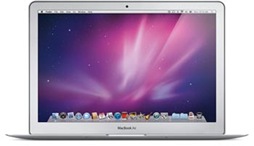 MacBook Air MC504LL/A 13.3-Inch
 . What do you have in mind? Without even read any MacBook Air review out there, I bet you already have something positive on its portrays in your mind, don’t you? Here we have the new MacBook Air MC504LL/A with 13.3-inch display. No wonder that from its appearance, we’ll see an incredibly thin yet surprisingly sturdy case. We’ll also presented with the new trackpad gesture controls that are very useful. And also the remote optical drive that would make your live without a built-in drive laptop much easier. But do those amazing features on the MacBook Air MC504LL/A do not also brings some draw back?
 Maybe this new Apple’s MacBook Air laptop is not the true ultraportable that many had hoped for, but it still easily breaks new ground for small laptops. Mimicking the 13-inch silhouette of the current MacBook line, its only 0.76 inch thick at its thickest, and Apple calls it the "worlds thinnest notebook.
Physically, the footprint is not much different than a 13-inch MacBook or MacBook Pro that other members of my household own. However, its the thinness and light weight of this design that brings out the "wow," for those who see it. If you want to use it on your lap in a large chair or sofa, it is simply comfortable. If you need to stop while walking, and stand against a wall and check something very quickly, while it can still be slightly awkward, the light weight makes this possible. Still, Id try not to do this, in fear of dropping the precious unit. You do see some Apple marketing images of people using the device standing up. This would likely be even more comfortable with the 11-inch model.
The reason one would choose this updated 13-inch MacBook Air is simple! This particular model gives you the thinness and light "wow," factors that defined the MacBook Air since its introduction nearly four years ago. However, this model gives you something that was not offered at this price point previously. A nearly fully functional and performing notebook computer. The included 1.86 GHZ Core 2 Duo processor is not a slouch. 2GB of memory is not bad in efficient OS X, and the 256 GB of solid state memory is not only competitive storage capacity to similar notebooks, but yet it is incredibly fast. The slight hit in processor and memory compared to a MacBook Pro
 is at least partly made up for by the speed of solid state memory. Just check out the boot up time on this device. It boots up fast. Plus, when it sleeps, open it back up, for instant on. Its a new way of experiencing a computer.
 This 13-inch model has a higher resolution display than the 13-inch MacBook Pro
 , so you will fit more of your windows, pictures, etc. on the display. Indeed, it matches the resolution of the stock 15-inch models. What dont you get on this model and do I miss it? Obviously, once again, Superdrive is missing. I do not miss this. I have Superdrive on my desktop computer, and you can always buy the USB Superdrive for less than one hundred dollars, if you want that capability when at your desk. This Air loses the backlit keyboard, one suspects due to the even slimmer and lighter design.
 MacBook Air MC504LL/A 13.3-Inch Specifications:
read the full review here
- 13.3-inch LED-backlit glossy widescreen display with a 1440 x 900-pixel resolution
- Up to 7 hours of wireless productivity plus up to 30 days of standby time
- 1.86 GHz Intel Core 2 Duo processor with 6 MB on-chip shared L2 cache and 1066 MHz frontside bus.
- 256 GB flash memory storage
- 2 GB installed RAM (1066 MHz DDR3; supports up to 4 GB)
- NVIDIA GeForce 320M graphics processor (with 256 MB of DDR3 SDRAM shared with main memory) for an outstanding everyday graphics experience.
- Built-in FaceTime camera for video chatting
- Wi-Fi wireless networking (based on 802.11n specification; 802.11a/b/g compatible)
- Bluetooth 2.1 + EDR (Enhanced Data Rate) for connecting with peripherals such as keyboards, mice and cell phones
Update:
Apple has released
- MacBook Air MC965LL/A (read the review)
- MacBook Air MC966LL/A (read the review)