Monday, May 20, 2013
Laptop Battery Care Maintenance and Tips

- When we get a new battery, it is always indicated to fully charge the battery for a certain number of hours before use. This is to ensure that the battery gets to its FULL capacity.
- You can perform a breaking in routine for your new laptop battery by simply charging it to 100% capacity then use it down to 20% before charging it again. This routine is better than fully charging your battery and fully discharging it which gives additional stress to the battery cells.
- Batteries deteriorate even when not in use, it starts deteriorating from the moment it is assembled in the factory hence its inevitable that your batteries will die sooner or later so use it while you can.
- Avoid exposing your battery to heat as much as possible. Heat is the number one enemy of batteries and will hasten its deterioration dramatically. When using your laptop, make sure the vents are clean and unobstructed. Avoid placing your laptop on top of a pillow or bed, this practice covers the exhaust vents of your laptop and may lead to overheating issues.
- Avoid Deep discharges. Dont make it a habit of drying up your batteries to the point that it shuts down the laptop. Over discharging makes the battery heat up faster due to the added stress.
- If you are on AC power most of the time, it is advisable to remove your battery not because of the so called "overcharging" but because of heat. You cant overcharge your batteries even if it is left plugged for months because once the battery reaches 100% capacity, the power is diverted and the charging stops. What you should be concerned about is the unnecessary exposure to heat while your battery is attached even when you are using AC power.
- Do not store batteries fully charged. Fully charged batteries gives more stress compared to a battery that have 50% capacity. If you wont be using your battery for a month or so, store it with 40 to 50% charge. That way, it wont be stressed compared to having full capacity and wont be in danger of over discharge because remember, batteries still lose their charge even when not in use.
- Store your batteries away from heat and humidity. Like whats stated earlier, heat is the number one killer of batteries. Heat expedite chemical reactions in the battery cells that deteriorates in time. Avoid storing your batteries inside the car or somew extremely hot and humid. Some people even place their batteries in a zip lock bag and put it in the fridge. Just make sure t will be no condensation inside the bag.


ASUS UL80Vt A1 Laptop With 11 5 hours of Battery Life
 . We have ASUS UL30A-A2
 which has smaller screen size – 13.3 inches. This UL80Vt-A1 comes with 14 inch HD LED-backlit in 1366 x 768 widescreen resolution. Their different screen’s size may affect their battery life. They are booth using the Intel’s UL series that claims to have balance in gaining best performance while also optimizing energy use. That is another reason why today there are people who are seeking for energy saving stuffs like laptops with more than 5 hours battery life. Besides that to have laptop that makes us to live just around the cord is not comfortable at all.
 Let’s start with Asus UL80Vt-A1 Specifications:
- Operating System: Genuine Windows 7 Home Premium 64-bit
- Display: 14-inch HD LED-backlit Widescreen (1366 x 768)
- Intel Platform: Intel Core2 Duo processor SU7300 (1.3GHz)
- Graphics: Switchable: Intel GMA 4500MHD and ASUS DGE powered by NVidia GeForce G210M with 512MB VRAM
- Wireless: WLAN 802.11b/g/n (draft 2.4GHz n)
- LAN: 10/100/1000 Mbps Ethernet
- Memory: 4GB DDR3 DRAM, 2GB x 2 (upgradable to 8GB)
- Storage: 320GB 5,400RPM Hard Drive
- Optical Drive: DVD Super Multi Double Layer Drive
- Camera: 0.3 Megapixel
- Speakers: SRS Premium Stereo Speakers by Altec Lansing, Hi-Definition Audio CODEC
- Microphone Digital Array Microphones
- Card Reader: 1 x 5-in-1 card reader: MMC, MS, MS-Pro, SD, xD
- Input/Output: 1 x Mic-in, 1 x audio-out (S/PDIF), 3 x USB 2.0 ports, 1 x RJ45 LAN
- Video Output: 1 x HDMI, 1 x VGA port/Mini D-sub 15-pin
- Keyboard: 13.70-inch keyboard with MS Windows function keys
- Battery Pack: 8-cell Lithium Ion Battery, 5600mAh - Up to 12 hours1
- Power Supply: Output: 19 V DC, 4.7 A, 65W / Input: 100~240 V AC, 50/60 Hz universal
- Dimensions: 13.3 (W) x 9.45 (L) x 0.55~1.06 (H) inches
- Approximate Weight: 4.41 lbs (with 8-cell battery)
- Color: Black
 Looking from UL80Vt-A1’s specification, what you will miss from it? Just like the ASUS UL30A-A2. The Bluetooth. Maybe it is not a problem for you. There are many cheap Bluetooth dongle out there to enable us connect or Bluetooth peripheral with our L80Vt-A1. But, according to my experience, a built in Bluetooth connection is always better.
What’s the best thing about UL80Vt-A1? Of course it is the battery life. As it can serve you well in about 11.5 hours. Actually it really depends on application or games you run, and also how you set up the configuration. You’ll have more than 12 hours battery life when you are only typing documents on it.
Anything else that I will get for buying Asus UL80Vt-A1? What is Asus UL80VT’s best feature?
Asus UL80Vt-A1 has the switchable graphics card: Intel GMA 4500MHD and ASUS
 DGE powered by NVidia GeForce G210M with 512MB VRAM. So now you can play your latest games on it, while you can save more energy power when using it for typing documents.
Read more reviews on Asus UL80Vt-A1!!!
Sunday, May 19, 2013
Acer Aspire TimelineX AS4830T 6642 14 Inch Laptop
 is a little bit unusual. 14-inch screen size is now become unpopular. As most today’s laptops have 15.6-inch display. But I can tell that this 14-inch widescreen LED backlit film that comes along on AS4830T-6642 is really superb to give you almost the best experience in enjoying true 16:9 HD views. Acer equips this laptop with the next generation Intel’s HD 3000.
Intel ® Core ™ i5 is a kind of a justification why you shouldn’t be worry about its performance. It is fast. This TimelineX laptop offers you more than 9 hours battery life. That should be enough for anyone who doesn’t want to ‘stay connected’ to the power chord. While the aluminum two-tone design keeps you in style. New technologies such as a fast USB 3.0 port and Acer Clear.fi ™ keep you connected and provide for the immediate release.
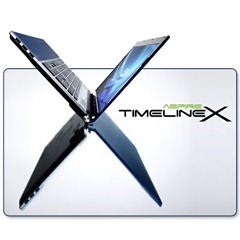 Acer Aspire TimelineX AS4830T-6642 quick specification:
 read full specification here…
- Intel® Core™ i5-2410M Processor 2.30GHz with Turbo Boost Technology up to 2.90GHz
- 14” HD Widescreen CineCrystal™ LED-backlit Display
- 4GB DDR3 Single-Channel Memory
- 640GB SATA Hard Drive ($76.41
)
- Intel® HD Graphics 3000
- Bluetooth® 3.0+HS
- Two Built-in Acer 3DSonic Stereo Speakers
- 2- USB 2.0 Ports & 1- USB 3.0 Port
- 6-cell Li-ion Battery
worth to buy? Read more reviews here…
Saturday, May 18, 2013
MacBook Air MC504LL A 13 3 Inch Worth Buying Laptop
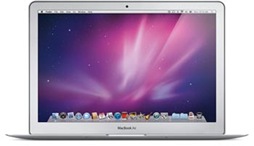 MacBook Air MC504LL/A 13.3-Inch
 . What do you have in mind? Without even read any MacBook Air review out there, I bet you already have something positive on its portrays in your mind, don’t you? Here we have the new MacBook Air MC504LL/A with 13.3-inch display. No wonder that from its appearance, we’ll see an incredibly thin yet surprisingly sturdy case. We’ll also presented with the new trackpad gesture controls that are very useful. And also the remote optical drive that would make your live without a built-in drive laptop much easier. But do those amazing features on the MacBook Air MC504LL/A do not also brings some draw back?
 Maybe this new Apple’s MacBook Air laptop is not the true ultraportable that many had hoped for, but it still easily breaks new ground for small laptops. Mimicking the 13-inch silhouette of the current MacBook line, its only 0.76 inch thick at its thickest, and Apple calls it the "worlds thinnest notebook.
Physically, the footprint is not much different than a 13-inch MacBook or MacBook Pro that other members of my household own. However, its the thinness and light weight of this design that brings out the "wow," for those who see it. If you want to use it on your lap in a large chair or sofa, it is simply comfortable. If you need to stop while walking, and stand against a wall and check something very quickly, while it can still be slightly awkward, the light weight makes this possible. Still, Id try not to do this, in fear of dropping the precious unit. You do see some Apple marketing images of people using the device standing up. This would likely be even more comfortable with the 11-inch model.
The reason one would choose this updated 13-inch MacBook Air is simple! This particular model gives you the thinness and light "wow," factors that defined the MacBook Air since its introduction nearly four years ago. However, this model gives you something that was not offered at this price point previously. A nearly fully functional and performing notebook computer. The included 1.86 GHZ Core 2 Duo processor is not a slouch. 2GB of memory is not bad in efficient OS X, and the 256 GB of solid state memory is not only competitive storage capacity to similar notebooks, but yet it is incredibly fast. The slight hit in processor and memory compared to a MacBook Pro
 is at least partly made up for by the speed of solid state memory. Just check out the boot up time on this device. It boots up fast. Plus, when it sleeps, open it back up, for instant on. Its a new way of experiencing a computer.
 This 13-inch model has a higher resolution display than the 13-inch MacBook Pro
 , so you will fit more of your windows, pictures, etc. on the display. Indeed, it matches the resolution of the stock 15-inch models. What dont you get on this model and do I miss it? Obviously, once again, Superdrive is missing. I do not miss this. I have Superdrive on my desktop computer, and you can always buy the USB Superdrive for less than one hundred dollars, if you want that capability when at your desk. This Air loses the backlit keyboard, one suspects due to the even slimmer and lighter design.
 MacBook Air MC504LL/A 13.3-Inch Specifications:
read the full review here
- 13.3-inch LED-backlit glossy widescreen display with a 1440 x 900-pixel resolution
- Up to 7 hours of wireless productivity plus up to 30 days of standby time
- 1.86 GHz Intel Core 2 Duo processor with 6 MB on-chip shared L2 cache and 1066 MHz frontside bus.
- 256 GB flash memory storage
- 2 GB installed RAM (1066 MHz DDR3; supports up to 4 GB)
- NVIDIA GeForce 320M graphics processor (with 256 MB of DDR3 SDRAM shared with main memory) for an outstanding everyday graphics experience.
- Built-in FaceTime camera for video chatting
- Wi-Fi wireless networking (based on 802.11n specification; 802.11a/b/g compatible)
- Bluetooth 2.1 + EDR (Enhanced Data Rate) for connecting with peripherals such as keyboards, mice and cell phones
Update:
Apple has released
- MacBook Air MC965LL/A (read the review)
- MacBook Air MC966LL/A (read the review)
Toshiba Satellite L675 S7108 a Fashionable and Affordable 17 3 Inch Laptop
Whether you are a hard worker that often bring your work to your home, or a student who needs to surf the internet look for your homework resources, or someone who loves to create multimedia files, or even an ordinary ‘Joe’ who needs to watch HD videos on big laptop’s screen, Satellite L675 will be the best choice.
Its 17.3-inch TruBrite HD display makes the owner get the best yet satisfactorily computing experiences. And for those who starts thinking about replacing their desktop computer, this laptop PC offers the newest multi-core processors from Intel and AMD, a DVD player, along with all the memory and storage theyll need to tackle whatever they do with the laptop.
 This all-purpose, eco-smart machines stunning 17.3-inch LED-backlit display is easy on the battery and provides 720p native high-definition resolution. It includes a plethora of multimedia features, including a SuperMulti drive that can handle all your DVD and CD formats as well as built-in speakers with Dolby audio processing.
Burn through the hottest new digital media, content creation and advanced 3D gaming with the breakthrough performance of the Intel Core i3 processor--with 4-way multitasking processor power to work on four tasks simultaneously.
Thanks to the built-in webcam and Toshiba Face Recognition software on this machine, youll enjoy a more convenient way to communicate, log on or share your laptop among the family. Other high-tech features include a power-saving Eco Utility to help reduce power consumption based on your needs, one USB/eSATA combo port, and an HDMI that lets you scale up with an external monitor or home theater.
This Satellite comes pre-installed with the Microsoft Windows 7 Home Premium operating system (64-bit version).
Read the details of Toshiba Satellite L675-S7108

Key Features at a glance
- Intel core i3-380M dual core 2.53 GHz processor, with 3 MB L3 cache
- 4 GB RAM, 500 GB Hard Disk Drive
- 17.3″ LCD Screen
- HDTV output
- 2-USB 2.0 ports
Processor
The intel core i3-380M that powers the Toshiba L675-S7108 is a dual core processor at 2.53 GHz. Its 3 MB cache memory ( intel calls it smart cache) improves its performance. The newer Arrandale architecture with integrated memory controller makes further improvement in the performance. The only drawback, of course is, the lack of the turbo function. And if you are looking for turbo function, you may like to take a look at some of the core i5 based processors.
RAM and Hard Disk
The Toshiba L675-S7108 comes with 4GB of DDR3 RAM. At 1066 MHz transfer rate, you should find a decent memory transfer rate. The Hard Disk is 500 GB ( 5400 RPM)
Display
The 17.3 inch large LCD screen has a resolution of 1600 x 900. Its wide aspect ratio makes a pleasant viewing, whether for computing purpose of for the entertainment. The display is brighter as the backlight is LED driven.
Other Features and connectivity
The Satellite L675-S7108 comes with wired and wireless 802.11b/g/n connectivity features in built, as do most other notebooks that come today. It has webcam inbuilt directly into the LCD bezel. The HDMI port will be useful if you plan to view the content of the notebook on an external LCD monitor or a projector.
Pros
- Large 17.3″ LCD screen
- HDMI output
- Processor Intel core i3-380M does not support turbo boost ( it is still a decent processor)
Friday, May 17, 2013
Lenovo G570 43348PU New i5 Laptop
Lenovo G570 43348PU laptop review | At under $500 you’ll get nearly everything you would want from a laptop. If you are looking for a notebook to carry around, either for working or playing, this laptop is a good option.
Lenovo is fast becoming the one of the best notebook vendors in the world. People like their laptops because they are sleek, understated and minimal.
Lenovo gain consumer’s trust by their fast, full featured laptop. As they are continuing IBM’s ThinkPad laptop series’ tradition. The Lenovo G570 43348PU is certainly one of their powerful laptop. Just take a look at its specification below…

| Lenovo G570 43348PU 15.6-Inch Laptop (Black) |
 (13 customer reviews) (13 customer reviews) |
| List Price: |
| Price: $499.99 |
| 21 used & new available from $499.99 |
BUY LENOVO G570 43348PU NOW AND SAVE MONEY WITH DISCOUNT!
Specs
This type comes with Intel’s 2nd generation Core i5-2430 processor with HD3000 graphics. Equipped with generous 15.6 inch screen with an aspect ratio of 16:9 as you can find on other today’s laptops. It comes with 4GB of DDR3 memory, which is more than enough for most people. The storage stands at 500GB, again fairly common and is plenty for your movies and music. Unless you are now making the next Transformers movie, this G570 43348PU is a really recommended laptop.
Build quality

A big problem with many laptops is that their hinges start to creak after a few months of regular use. The Lenovo G570, on the other hand seems sturdy enough to last long. We would have liked the design to be a bit shinier though.
Of special mention is the keyboard that Lenovo has come up with. Lenovo is known to have the best laptop keyboards in the world. It has great tactile feedback and typing on it is simply a joy. Also, the keyboard is big enough to accommodate a numeric keypad for typing numbers more easily. Even so, the keys don’t feel cramped for all but those with really huge fingers.
Performance
The hardware for Lenovo G570 is really good and it can do all your routine tasks well. We tried web browsing with multiple tabs open and it worked really well.
Videos also play fast and without stutter, so we have no complaints there too. If you are a heavy Office user and do other production jobs, this might not be the most powerful laptop you would find.
| Lenovo G570 43348PU 15.6-Inch Laptop (Black) |
| (13 customer reviews) |
| List Price: |
| Price: $499.99 |
| 21 used & new available from $499.99 |
BUY LENOVO G570 43348PU NOW AND SAVE MONEY WITH DISCOUNT!
Conclusion
When it comes to connectivity, the Lenovo G570 43348PU comes with 3 USB 2.0 ports. We wish it had a USB 3.0 port too, because it is really fast. At last, this under $500 Lenovo laptop is really a great choice.
Buy Acer AS1430Z – 4677 best 11 6 inch laptop

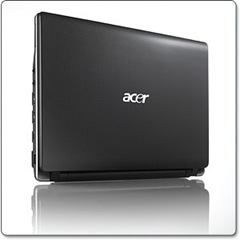 Why bother to buy 11.6 inch laptop when you have the 15.6 or even larger screen laptop? As you know, larger screen consumes more power from your battery. It also makes the laptop bigger in size, and of course heavier. That’s why small screen laptop is best suited for people who travel a lot, like journalists, students, and travelers.
Unfortunately, most laptops that have small screen are also made for the sake of energy efficiency. It means they are less powerful than common laptops. Netbooks is the best example. 10.1 inch screen is maybe enough for people who only use it for browsing the internet. But it is just too small to edit your documents, especially if you have problems with your eyes. It is really hurt to read your documents while you are forced to scroll left and right many times.
So what’s the best screen size for your laptop without sacrificing the overall size, the weight, and of course the price? Well, it really depends on your need then. For me, 11.6 inch is the best. Because 10.1 is too small for my eyes. Actually, the 13.3 is one of my consideration. But once again, I do travel a lot, so I need the lighter one. 15.6 inch? That’s just too big for me. I don’t want to carry a bulky laptop to work. If you are just like me, I do recommend the Acer AS1430Z-4677. It has 11.6-Inch screen, just like what I need.
From some reviews on the AS1430Z, I made a conclusion, that what’s best from Acer AS1430Z
is that it has the capability to upgrade its RAM up to 8GB. That’s not easily beatable by any other laptops with the same screen size. It comes with 3GB RAM, that would be enough for common users.Read Acer AS1430Z-4677 Full specification here!
Buy Acer AS1430Z – 4677 from Amazon.com
Thursday, May 16, 2013
Buy Acer Aspire TimelineX AS5820 6401 15 6 Inch Laptop
Well, you can find your own reason why this Acer Aspire AS5820T-6401 is best for you to buy, or simply considered it as an ordinary laptop. But take a look at my reasons why I consider this Aspire TimelineX is good and worth buying for my need, hopefully it is also able to fulfill your need.
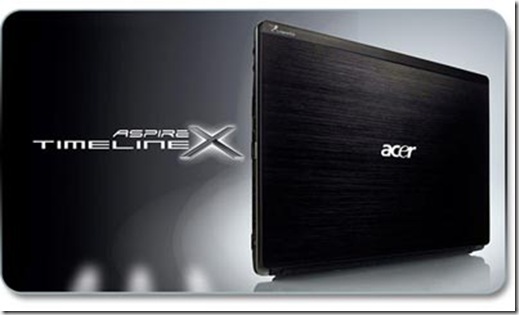 |
| click on image for todays Acer Aspire TimelineX AS5820-6401 best price! |
Here is what I got for the battery:
- If you are using default brightness and volume halfway, this Acer TimelineX series will give you about 4.5 hours.
- With default brightness and volume halfway, the battery will last about 4.5 hours if you are browsing the web, chatting on an instant messenger, and playing music using Windows Media Player.
- With the brightness set to its lowest but not turning off the screen and idling the laptop without any application running, you’ll get 10+ hours.
- For most users, you will probably end up between 4 and 5 hours. I bet you know that it is still better than 2-3 hours that you could get from other competitors in this price range.
read more Acer Aspire TimelineX AS5820-6401 reviews here....
Here is the Acer Aspire TimelineX AS5820-6401 quick specification:read the full specification here...
- 15.6-inch HD widescreen CineCrystal LED-backlit display
- 2.66 GHz Intel Core i5-480M dual-core processor (2.93 GHz with Turbo Boost Technology; 3 MB L3 cache)
- 640 GB SATA hard drive (5400 RPM)
- 4 GB of installed DDR3 RAM (1066 MHz)
- 8x SuperMulti DVD±R/RW
- Windows 7 Home Premium (64-bit)
- Up to 8 hours of battery life (6-cell battery)
- Weight: 5.4 pounds
Get Acer Aspire TimelineX AS5820-6401 best price from Amazon today and get free shipping...
Find out and buy another Acer Aspire TimelineX series:
AS5820T-5951 15.6-Inch HD Laptop
AS3820T-6480 13.3-Inch HD Laptop

AS1830T-6651 11.6-Inch Laptop

AS1830T-6478 11.6-Inch Laptop

AS1830T-68U118 11.6-Inch Laptop
